
On this page
If you share a handful of pastes a week, the normal composer is perfect. If you share dozens a day — daily drops, episode lists, collections, notes for a class — clicking through the composer twenty times is a chore. Two features in your free account fix that: batch create and the automatic signature.
Batch create: twenty pastes, one form
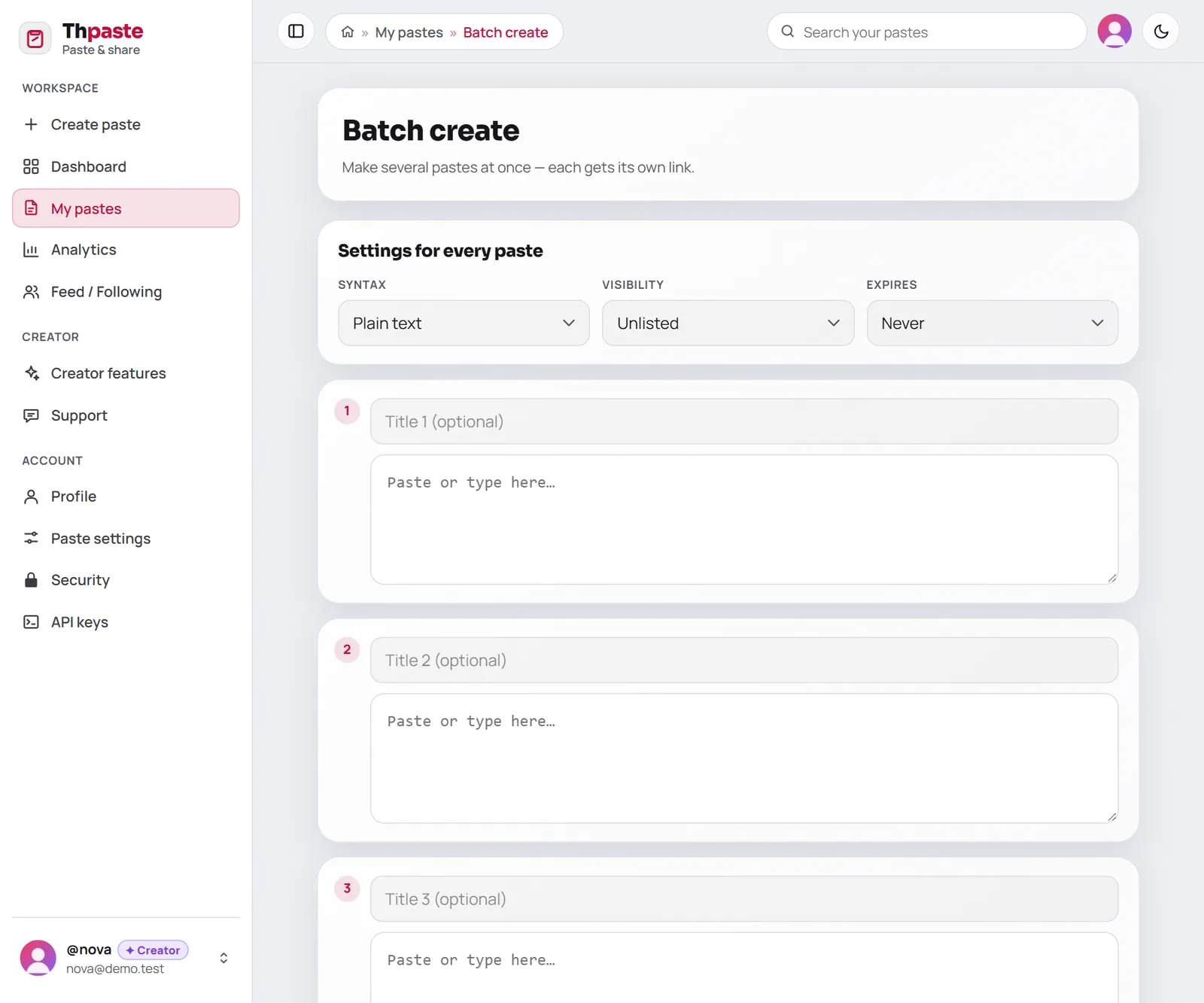
Open My pastes → Batch create. Choose the settings once at the top, fill in as many rows as you need, and press create.
- 1Choose shared settings
Syntax (plain text, Markdown or a code language), visibility and expiry apply to every paste in the batch.
- 2Fill the rows
Each row is one paste: an optional title and its text. Press + Add another for more rows, up to 20.
- 3Create them all
Every paste gets its own short link, listed together — and Copy all links grabs the whole list at once.
Batches love Markdown
Choose Markdown as the syntax and each paste can have headings, lists and tables. Need a refresher? The Markdown guide shows everything side by side.
Fair-use limits
To keep the service fast for everyone, batch create allows 60 pastes per 10 minutes and 500 per day per account. If a batch would go over, the rows that fit are created and the rest are listed with a note to try again shortly — nothing is lost.
The automatic signature
A signature is a short footer that Thpaste adds to the end of every new paste you make: on the website, in batch create and through the API.

| Good signature ideas | Example |
|---|---|
| Your channel | More every day → t.me/yourchannel |
| Your profile | Follow me: thpaste.com/u/yourname |
| A disclaimer | Shared for educational purposes |
| A thank-you | Thanks for reading 💜 |
How it behaves:
- Up to 500 characters, on as many lines as you like.
- Added to new pastes only — editing an older paste never adds or changes a signature.
- In Markdown pastes, Markdown works in the signature too (bold, links, and so on). In rich text pastes it becomes its own paragraph.
- If adding it would push a paste over the 512 KB limit, the paste is published without it rather than failing.
- Leave it empty to switch it off.
Put them together
Batch create + a signature is the fastest way to run a daily drop:
Collect the day's texts in a notes app.
Paste them into batch create, pick the syntax, create.
Every paste already ends with your channel link — copy the list of links and share.
Check analytics to see which ones people opened most.
Prefer to automate even that? The API creates pastes from scripts, and your signature is added there too.
FAQ
Can I batch create rich text pastes?
Not yet — batch rows are plain text boxes, so batches can be plain text, Markdown or code. Rich text pastes are made one at a time in the composer.
Can each paste in a batch have different settings?
Syntax, visibility and expiry are shared across the batch. Run two batches if you need two sets of settings.
Do I need an account?
Yes — batch create and signatures live in your dashboard. Create a free account.


