
On this page
You never need an account to share a paste on Thpaste. But the moment you share regularly, a free account changes everything: your pastes stop being one-shot links and become something you can manage, improve and grow. Sign-up takes an email and a password — no card, no trial, no paid tier hiding the good parts.
Without vs with an account
| Anonymous | Free account | |
|---|---|---|
| Create pastes (rich text, Markdown, code, plain) | ✓ | ✓ |
| Passwords, burn after reading, expiry | ✓ | ✓ |
| Edit a paste after publishing | ✗ | ✓ |
| Delete your pastes | ✗ | ✓ |
| Custom links (thpaste.com/s/…) | ✗ | ✓ |
| Analytics: views, visitors, sources, countries | ✗ | ✓ |
| Public profile, followers and a feed | ✗ | ✓ |
| Batch create and automatic signature | ✗ | ✓ |
| Two-factor sign-in | ✗ | ✓ |
| API access | ✗ | ✓ |
Your dashboard
Sign in and you land on the dashboard: total views, total pastes, average views per paste and followers at the top, a 30-day (or 3-month) chart of views and visitors, and your top pastes with a Copy button each.

The sidebar groups everything you can do:
Create paste, Dashboard, My pastes, Analytics and your Feed.
Creator features and the Support chat with the team.
Profile, Paste settings, Security and API keys.
Search your pastes from the bar at the top of every page, and switch between light and dark with the moon button.
My pastes: edit, delete and copy
My pastes lists everything you've made with its views, format and date. From there you can open, copy, edit or delete any paste — or start a batch of up to 20.

Editing keeps the link
Fix a typo, swap a dead download link or update a guide — the paste's address never changes, so everyone you shared it with gets the new version. Only the title and text change; settings and view counts stay.
Custom links
Give any paste a readable address like **thpaste.com/s/team-handbook** — 3 to 48 lowercase letters, numbers and hyphens. It's easier to remember, looks better in a bio, and the original short link keeps working too.

Analytics
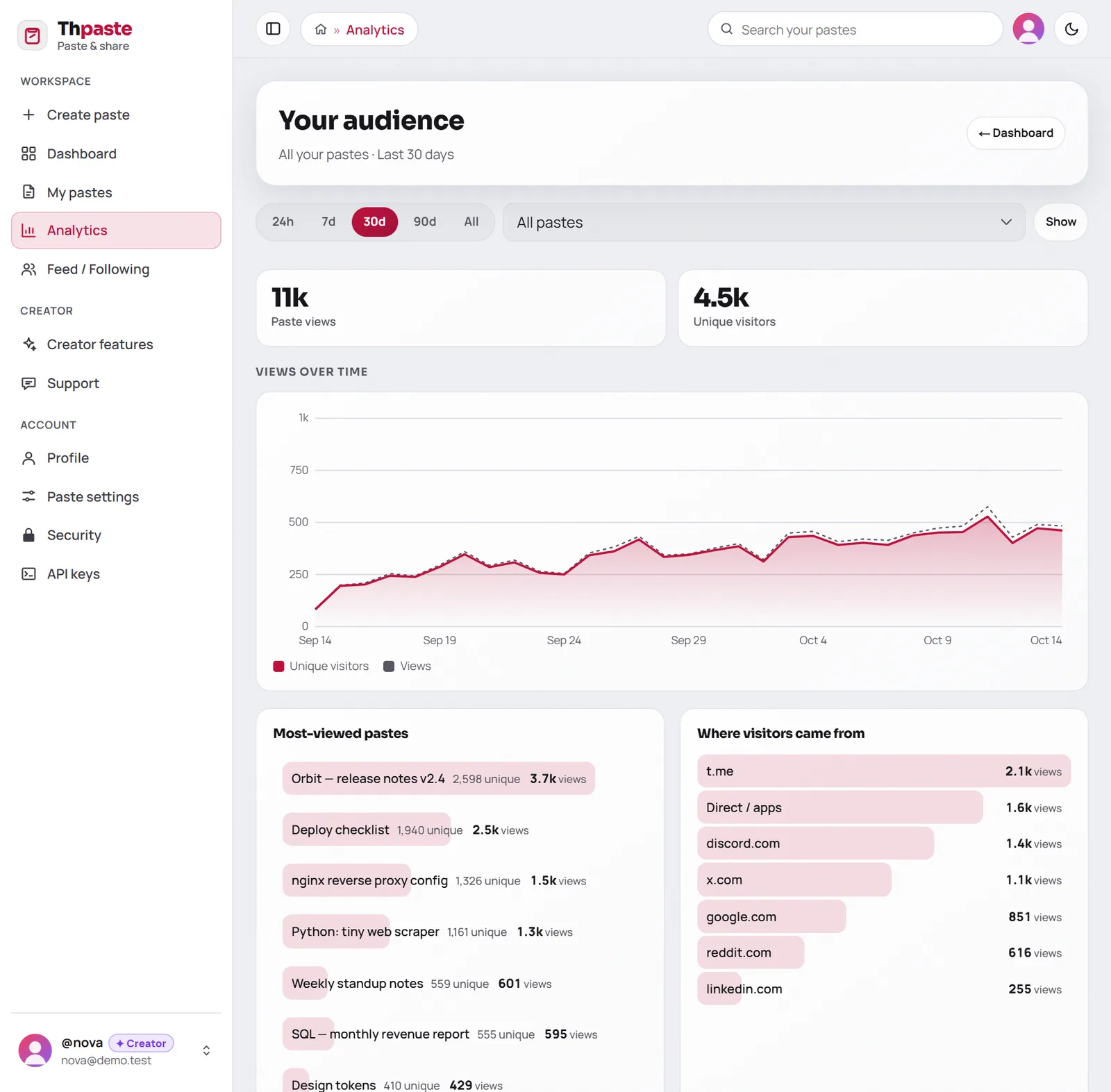
See who's actually reading: views and unique visitors over 24 hours, 7, 30 or 90 days or all time, your most-viewed pastes, where visitors came from (Telegram, X, Discord, Google…), their countries and their devices — for all your pastes or just one.
- 1Share as usual
Every paste you make while signed in is counted from its first view.
- 2Check what works
Compare sources and pastes over any time range.
- 3Do more of it
Post where your readers already are, at the times they read.
A public profile and followers
Pick a username and your profile lives at **thpaste.com/u/yourname**, with your photo, a 280-character bio, your follower counts and every paste you've marked Public. Visitors can Follow you, and your new public pastes appear in their feed.

Profiles are opt-in: nothing is public until you choose a username and switch it on.
Tools for people who share a lot
| Tool | What it does |
|---|---|
| Batch create | Up to 20 pastes from one form, each with its own link — and Copy all links |
| Automatic signature | A footer of up to 500 characters added to every new paste (your channel, your profile…) |
| Creator Mode | Unlocks at 1,000 total views: a Creator badge and optional earnings through your own Linkvertise account |
| Support chat | Message the team from your dashboard and get replies right there |
Security and the API
- Two-factor sign-in with any authenticator app, plus ten one-time recovery codes.
- Sign out everywhere to end every session on every device in one tap.
- The API: create, list, edit and delete pastes and pull your stats from scripts — see getting started with the API.
FAQ
Is it really free?
Yes. Every feature in this post is included in the free account.
What do you need from me?
An email address and a password (at least 8 characters). That's it.
Can I delete my account?
Yes, from Security. It permanently removes your account and every paste you made with it.


